If you’re planning a trip to Korea soon, one of the first things you’ll need to figure out is your data.
You might be wondering: should you wait to buy a physical SIM at the airport, carry around a bulky pocket WiFi, or simply set up an eSIM before you even leave home?
After testing multiple providers across Seoul and beyond, and analyzing the latest 2026 traveler feedback, I’ve put together this guide to help you compare the best eSIM options. We’ll break down the pricing, speeds, and real-world reliability of each service. Whether you’re landing at Incheon International Airport or arriving on a late-night flight, this guide will ensure you have high-speed data the moment you touch down before you even step off the plane.
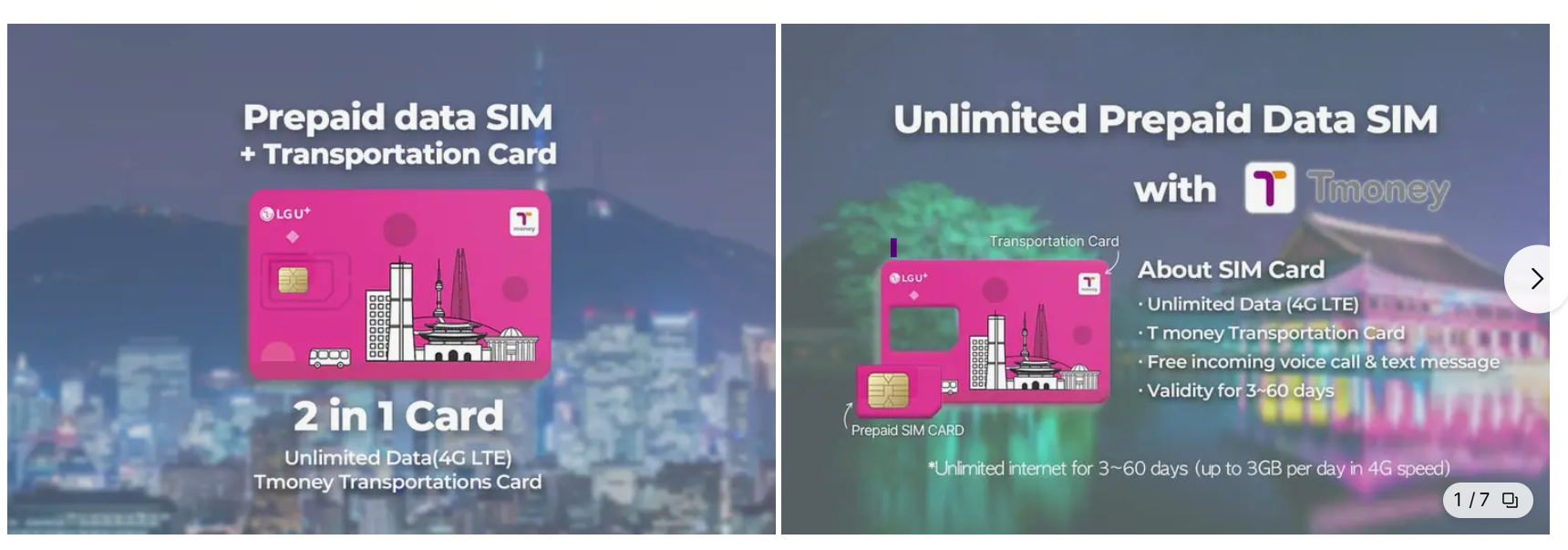
Quick Recommendations (Best Picks for Every Traveler)
If you're in a hurry, here are my top-tested picks for staying connected in Korea:
🏆 Best Overall: Airalo (LG U+/KT) – A highly reliable, mid priced eSIM with instant QR activation. It’s the gold standard for most tourists.
💰 Best for Budget Travelers: Saily or Jetpac – Perfect if you only need 5- 7 days of limited data without breaking the bank.
📶 Best for Heavy Users: Holafly – Offers true unlimited 5G plans. Ideal if you're streaming or uploading high-res content (Fair Usage Policy applies).
👨👩👧 Best for Families & Groups: LG U+ (with Hotspot support) – These plans allow multi device sharing, so one eSIM can keep the whole family connected.
Pro Tip: For the smoothest experience, I recommend downloading your eSIM and saving the QR code before you board your flight. You'll have high-speed data the second you land!
What is an eSIM? (And Why You Need It for Korea)
In simple terms, an eSIM is a digital version of the physical SIM card you're used to. It lets you activate a mobile data plan without ever needing to touch a tiny plastic chip. The eSIM Way: You purchase your plan online before you even leave, scan a QR code, and you’re connected the second you land in Seoul. No lines, no physical swaps, and zero stress. For short-term travelers, it’s easily the most convenient and time-saving option available in 2026.

Will Your US Phone Work in Korea? (Read This Before Buying)
Most US phones released after 2019 are eSIM compatible. However, the most important factor isn't just the model—it's whether your device is carrier-unlocked.
📱 Quick Compatibility Check
iPhone: XS, XS Max, XR and all newer models
Samsung: Galaxy S20 and newer (Note: US models of S20/S21 may vary by carrier; please check your settings).
3 Things You Must Verify
1. Is your phone Unlocked?
Go to Settings > General > About and scroll down to "Carrier Lock." If it says "No SIM restrictions," you are good to go!
2. Dial *#06#:
Open your phone app and dial *#06#. If you see an EID number on the screen, your phone officially supports eSIM.
3. Enable Data Roaming:
Once you install the eSIM and land in Korea, remember to turn on "Data Roaming" for the eSIM line specifically to get connected.
Choosing Your Connection: eSIM vs. Physical SIM vs. Pocket WiFi
OptionProsCons
| eSIM | Choosing Your Connection: eSIM vs. Physical SIM vs. Pocket WiFi | Requires compatible phone |
| Physical SIM | Classic Reliability Widely available at airports and works with almost all unlocked phones. |
Airport pickup required |
| Pocket WiFi | Multiple devices Connect multiple devices (laptops, tablets) to one single "egg" router. |
Extra Weight It’s another device to carry, charge every night, and return before departure. |
Real Travel Scenarios: Which Plan Should You Pick?
Not sure how much data you’ll actually need? Based on typical traveler habits in Korea, here is my recommended breakdown:
Scenario 1: The 3-Day Seoul Quick Trip
Recommended: 3GB – 5GB Fixed Plan
f you're mostly staying within the city, a small data pack is usually plenty. You'll be fine with this if you primarily use data for:
- Navigating via Naver Maps or KakaoMap. (네이버/카카오 맵 길 찾기)
- Checking Instagram and posting a few stories. (인스타그램 확인 및 스토리 업로드)
- Booking restaurants and calling a Kakao Taxi. (식당 예약 및 카카오 택시 호출)
Scenario 2: The 7-Day Korea Adventure
Recommended: Unlimited Data (or at least 10GB+)
When you're exploring for a full week—perhaps heading to Busan or Jeju—your data usage will naturally spike. I recommend unlimited if you are
- Using Papago (Translation app) constantly to talk to locals.
- Uploading high-res photos and videos daily.
- Watching YouTube or Netflix at your hotel after a long day.
Scenario 3: The Remote Worker / Digital Nomad
in Korea, many cafés and large franchise restaurants offer Wi-Fi. However, if you're concerned about personal information security, it's better to use your personal hotspot.
Recommended: True Unlimited 5G Plan
If you plan to work from Korea's beautiful cafes, don't risk a limited plan.
- Must-have: A plan that supports Mobile Hotspots so you can tether your laptop.
- Pro Tip: Look for "True Unlimited" rather than plans that throttle speed after a certain point.
Common Questions: What You Need to Know After Landing
Does the eSIM work immediately after I land?
The short answer: Yes, it’s practically instant. Once your plane touches down at Incheon or Gimpo, simply follow these steps:
- Turn off Airplane Mode.
- Enable Data Roaming for your eSIM profile in settings.
- Wait 1–3 minutes. Your phone will automatically find the local LG U+, KT, or SKT network.
Best of all, since it’s a digital activation, it works 24/7. Even if you arrive at 3 AM, you’ll have high-speed data before you even reach the immigration counter.
Is 5G actually available everywhere in Korea?Absolutely.
South Korea has one of the most advanced and fastest mobile networks in the world.
- In major cities like Seoul and Busan, 5G coverage is almost everywhere.
- You can expect speeds that are significantly faster than what you might be used to with US LTE or 4G networks.
Can I use my phone as a Hotspot? In most cases, yes.
Most premium eSIM providers allow tethering, which is great if you need to connect your laptop or tablet.
However, keep two things in mind:
- Plan Limits: Some budget plans may restrict or block hotspot usage.
- Data Drain: Sharing your data will drain your battery and your data cap much faster.
Is eSIM Safe? (Why It’s Actually More Secure Than a Physical SIM)
Many travelers ask if a digital SIM is as safe as a plastic one. The answer is a resounding yes. In fact, in many ways, an eSIM provides better protection for your data and your device.
Why an eSIM is "Travel-Safe
- Impossible to Steal or Lose: A physical SIM can be popped out and stolen, or you might lose your original tiny SIM while swapping it. An eSIM is embedded in your phone's hardware—it can't be lost, dropped, or stolen.
- Anti-Theft Protection: If your phone is stolen, a thief can't simply remove the SIM to stop you from tracking the device. Since the eSIM is locked to the phone, you can continue to use "Find My iPhone" or "Find My Device" as long as the phone has power.
- Encrypted & Regulated: Major providers like Airalo or LG U+ use the same high-level encryption and secure GSMA standards as traditional SIM cards. You are connecting to Korea’s top-tier networks (SKT, KT, LG U+), which are among the most secure in the world.
Common Mistakes to Avoid (Don't Let These Ruin Your Trip!)
Even with the best tech, a few small oversights can lead to big headaches. Here’s what to watch out for:
- Not Checking "Carrier Lock": This is the #1 reason eSIMs fail. If your phone isn't unlocked by your US carrier (like Verizon or AT&T), no international eSIM will work.
- Poor Activation Timing: Don’t wait until you're in a taxi to install your eSIM. Set it up via Wi-Fi at home or at the gate before boarding.
- The "Unlimited" Trap: Always read the fine print. Some "unlimited" plans throttle your speed to 2G levels after you hit a daily limit (FUP). Check the high-speed data cap first.
'Ⅰ. YOLO > Welcome to KOR♥' 카테고리의 다른 글
| KT vs SKT vs LG U+: Which SIM Is Best?(How to Buy a Korea SIM) (0) | 2026.02.24 |
|---|---|
| Best Korea SIM Card in 2026: Everything You Need to Know (Before You Land!) SKT, KT, LGU+ (0) | 2026.02.21 |
| 30대 버킷리스트 or to do list 100가지 (2) | 2026.01.05 |
| 찐친이랑 하고싶은거 to do list (3) | 2024.08.24 |
| 뭐하고놀지?, 커플버킷리스트100 (1) | 2022.09.10 |


